Keyboard
GDevelop gives access to all inputs made on the keyboard. This includes conditions to check if a key was pressed, just pressed or released.
Warning
Keyboard conditions do not react to the on-screen (virtual) keyboard on touch devices. When making a game for mobile or touch screens, use the Mouse and touch conditions instead, or combine both for cross-platform input.
Key pressed vs. Key just pressed
There are two similar but distinct conditions to detect when a key is down:
- Key pressed: stays true for every frame the key is held down. Use this for continuous actions, such as moving a character while an arrow key is held.
- Key just pressed: only true on the single frame during which the key started being pressed. Use this for one-shot actions, such as opening a menu, firing a single shot or jumping when a key is tapped.
Use the matching Key released condition to detect the single frame on which a key was released.
Any key pressed / Any key released
These conditions are triggered when any key on the keyboard is pressed or released. They are useful for "Press any key to continue…" prompts or to detect that the player started using the keyboard.
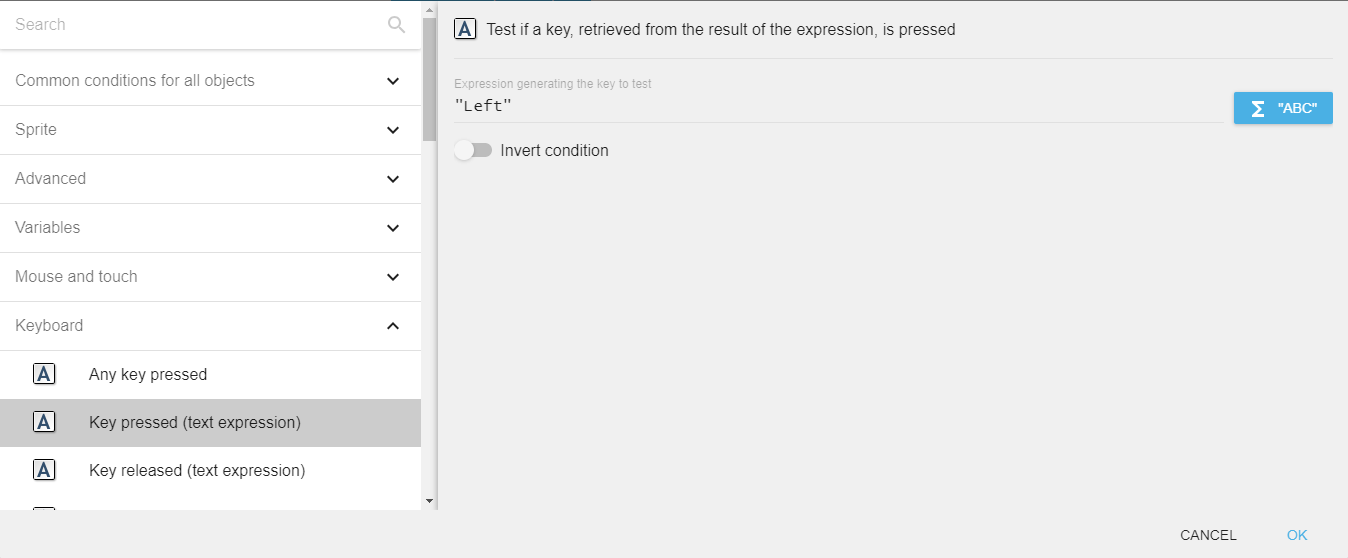
Key pressed / Key released (text expression)
These variants let you specify the key to check using a text expression (a string in quotes) instead of picking it from a list. This is useful when the key is configurable (for example, stored in a variable to support remapping controls).
For example, to check the left arrow key, type "Left" in the field.
Danger
Make sure that the key name is surrounded by quotes.
Key names
Keys are referred to by name. Some commonly used ones:
- Letters:
"a"to"z"(lowercase) - Top-row digits:
"Num0"to"Num9". Numeric keypad:"Numpad0"to"Numpad9". - Arrows:
"Left","Right","Up","Down" - Function keys:
"F1"to"F12" - Special:
"Space","Return"(Enter),"Tab","Escape","Back"(Backspace),"Delete","Insert","Home","End","PageUp","PageDown" - Modifiers (location-aware):
"LShift"/"RShift","LControl"/"RControl","LAlt"/"RAlt","LSystem"/"RSystem"(Windows/Command key) - Punctuation:
"Comma","Period","SemiColon","Quote","Slash","BackSlash","Equal","Dash","LBracket","RBracket","Tilde"
Tip
The left and right variants of Shift, Control, Alt and System keys are reported separately. To accept either side, check both keys with an OR condition.
Last key pressed
The LastPressedKey() expression returns the name of the most recently pressed key as a string (for example, "Left" if the left arrow was the last key pressed). This is useful for input remapping screens where the player presses a key to assign it to an action.
Reference
All actions, conditions and expressions are listed in the keyboard reference page.